# Next.js CSV importer
> Integrate CSVJetty with either the Next.js App Router or Pages Router and persist imported rows through your own server API.
Canonical HTML: https://www.csvjetty.com/docs/nextjs
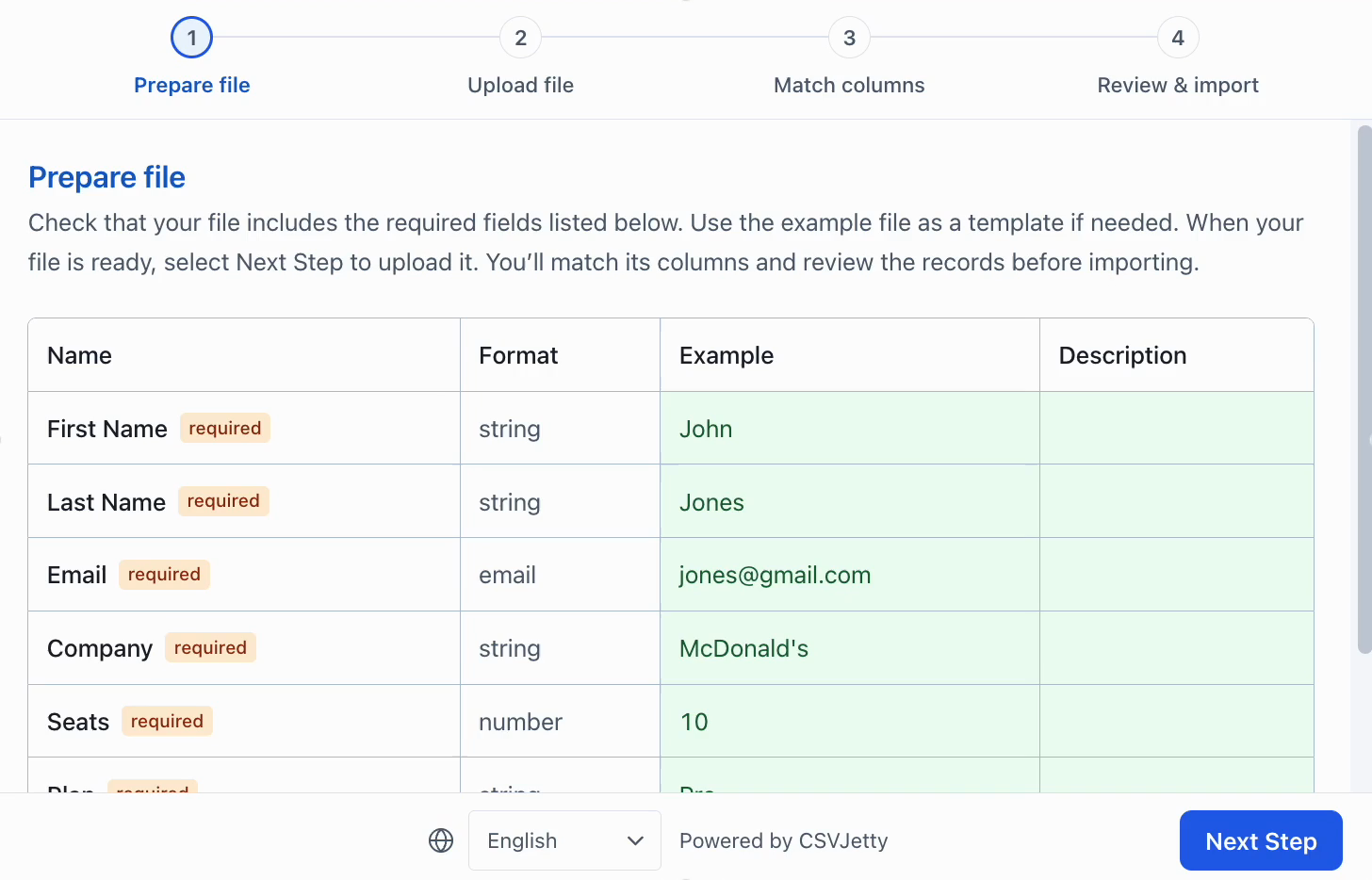
Explain the required fields before the customer selects a file.
## Install
```bash
npm install csvjetty
```
## App Router
Render CSVJetty from a client component because it opens a browser modal and uses client-side callbacks.
```jsx
"use client";
import CSVJetty from "csvjetty";
export default function ImportContacts() {
return (
{
const response = await fetch("/api/contacts/import", {
method: "POST",
headers: { "Content-Type": "application/json" },
body: JSON.stringify({ rows, importId, rowNumbers }),
});
if (!response.ok) throw new Error("Could not save contacts.");
return response.json();
}}
>
Import contacts
);
}
```
## Pages Router
Pages Router components can import CSVJetty directly; the importer itself still runs in the browser.
```jsx
import CSVJetty from "csvjetty";
export default function ImportContacts() {
return (
{
const response = await fetch("/api/contacts/import", {
method: "POST",
headers: { "Content-Type": "application/json" },
body: JSON.stringify({ rows, importId, rowNumbers }),
});
if (!response.ok) throw new Error("Could not save contacts.");
return response.json();
}}
>
Import contacts
);
}
```
## Save through your API
Keep database credentials and business rules on your server.
```js
export default async function handler(req, res) {
if (req.method !== "POST") {
res.setHeader("Allow", "POST");
return res.status(405).end();
}
// Authenticate the request for your application here.
const { rows, importId, rowNumbers } = req.body;
// Validate rows again and make this write idempotent using importId.
await saveContacts({ rows, importId, rowNumbers });
return res.status(200).json({ errors: [] });
}
```
CSVJetty validation improves the import experience but is not a security boundary. Enforce authorization, uniqueness, relational constraints, and application-specific validation on the server.
## Development mode
Enable Development Mode on the importer while testing. Development imports still deliver records, so point them at a test backend or safe development database. Localhost alone does not enable Development Mode.