# Build a CSV contact importer with duplicate handling
Import contacts from CSV with mapping, invalid-email correction, per-user deduplication, optional updates and verified database write counts.
Canonical HTML: https://www.csvjetty.com/guides/import-contacts-csv
## The upload-to-database workflow
A contact import needs a duplicate policy before its first database write. This example treats normalized email as unique within the signed-in user’s account. Customers can keep an existing contact or explicitly overwrite its name and company. It is an account-owned contact list, not a multi-organization membership model.
The policy lowercases and trims email addresses because this example uses case-insensitive email identity. That is an application rule, not universal mailbox equivalence. Different accounts may store the same address. A database unique constraint enforces the rule during concurrent imports, not just during a preflight lookup.
CSVJetty supports React 18/19 and CSV files up to 20 MB. The free plan permits 10,000 rows per upload; paid permits 20,000. Configure at most 30 destination fields. Callback mode keeps row data out of CSVJetty servers while configuration and import metadata still use the hosted service. It is not a fully offline or self-hosted importer.
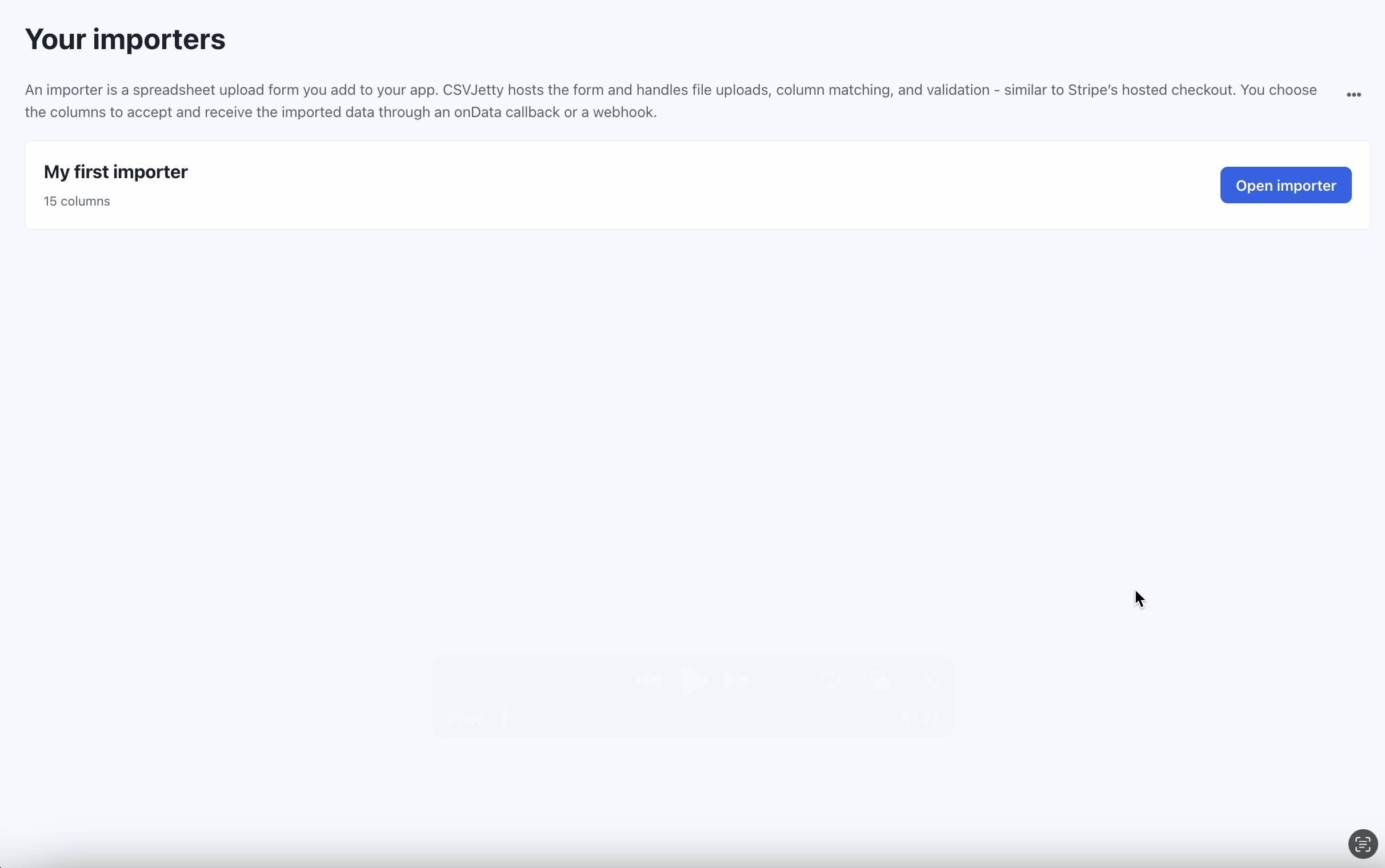
Open an importer in the dashboard before connecting it to your application.
## Configure the importer and sample file
Create an importer in the CSVJetty dashboard, choose OnData Callback, and copy its public importer key. Enable Require valid rows so customers must fix browser validation errors before delivery. Development Mode still calls your save handler; use test data and a test database. Dashboard preview does not deliver rows.
Install csvjetty and @supabase/supabase-js using your project’s package manager. Configure name, email and company as shown below. The component overrides dashboard columns for this session.
```bash
npm install csvjetty @supabase/supabase-js
```
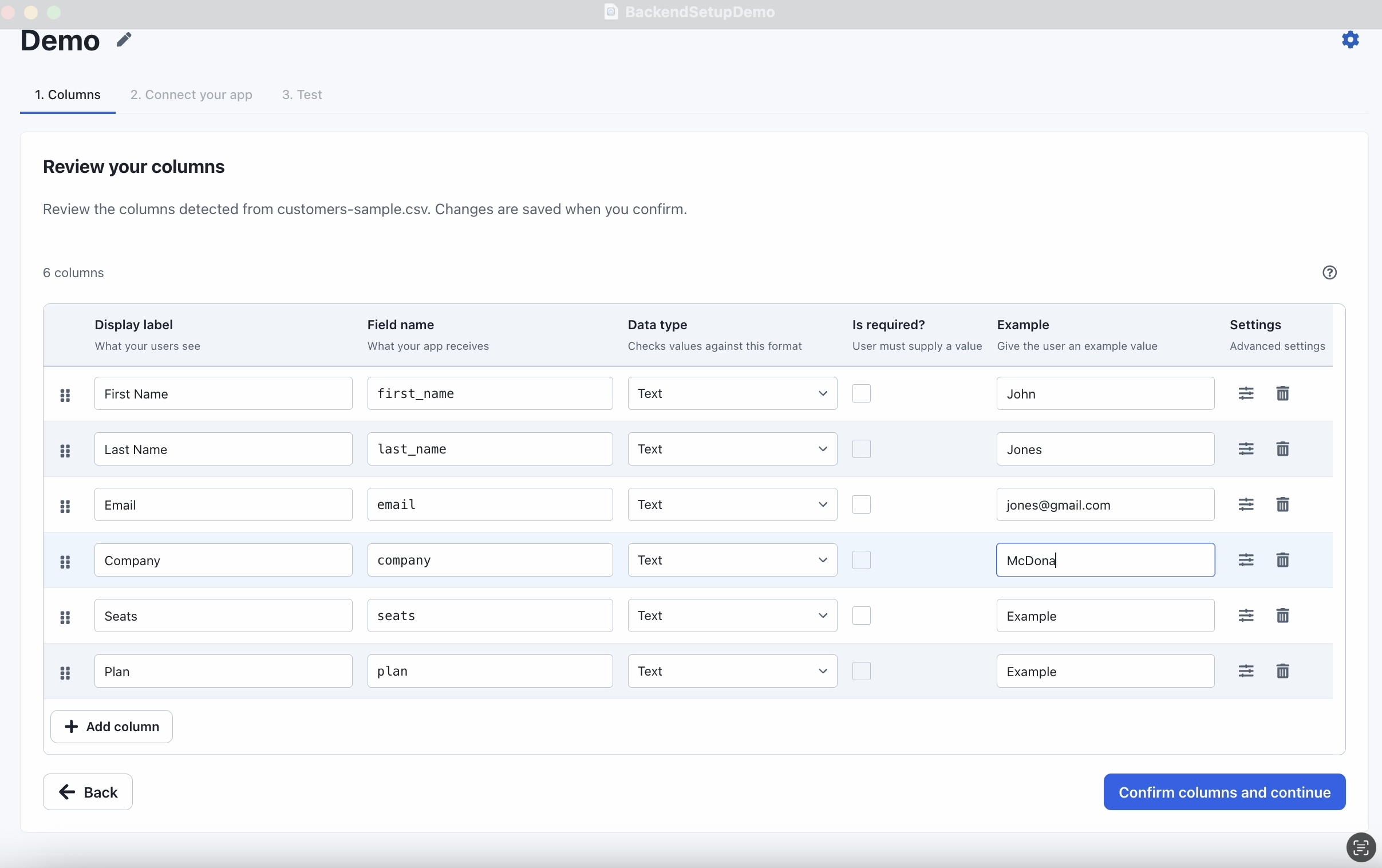
Configure destination fields and their types. This recording frame uses the demo schema; use the schema specified in this guide.
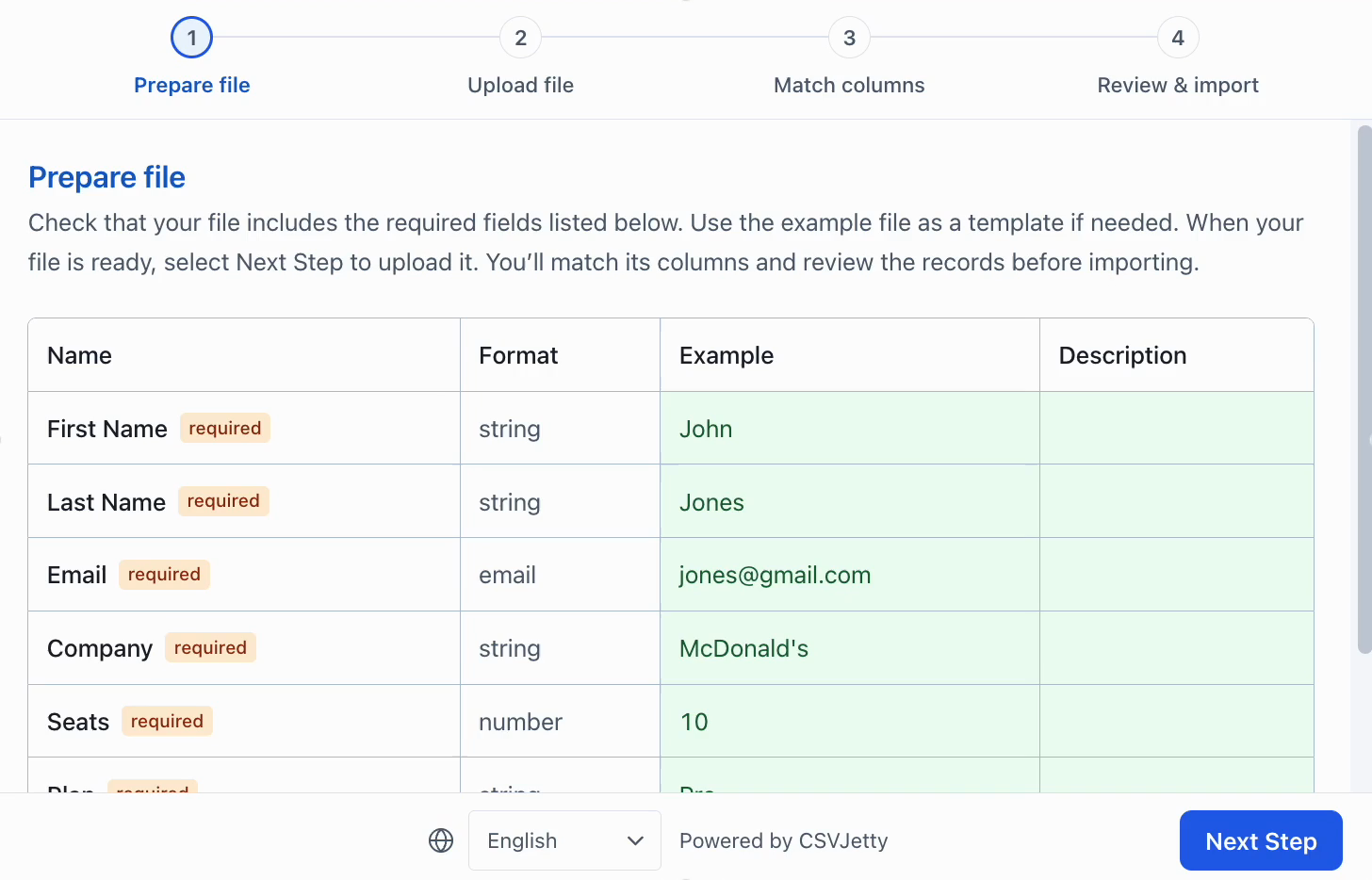
The preparation step explains the expected fields before upload. The fields shown belong to the demo importer.
## Create an owner-scoped contact table
Apply the SQL below once in a development project. It creates a separate csvjetty_contacts table and leaves existing app tables alone. The schema validates normalized values and keeps email unique per owner. SELECT, INSERT and UPDATE grants support returning IDs and the explicit update policy. There is no anonymous write grant.
File: sql/contacts.sql
```sql
-- Run once in a development Supabase project; use migrations for production.
-- This example uses a separate table so it does not alter existing app tables.
create table public.csvjetty_contacts (
id uuid primary key default gen_random_uuid(),
owner_id uuid not null references auth.users(id) on delete cascade,
name text not null check (length(name) between 1 and 200 and name = btrim(name)),
email text not null check (
length(email) between 3 and 254 and email = lower(btrim(email)) and
email ~ '^[^[:space:]@]+@[^[:space:]@]+[.][^[:space:]@]+$'
),
company text not null default '' check (length(company) <= 200),
created_at timestamptz not null default now(),
unique (owner_id, email)
);
alter table public.csvjetty_contacts enable row level security;
revoke all on public.csvjetty_contacts from anon, authenticated;
grant select, insert, update on public.csvjetty_contacts to authenticated;
create policy "Contacts belong to the signed-in user"
on public.csvjetty_contacts for all to authenticated
using ((select auth.uid()) = owner_id)
with check ((select auth.uid()) = owner_id);
```
## Add the complete import implementation
[Download all example files (ZIP)](https://www.csvjetty.com/samples/import-contacts-csv-example.zip)
File: components/csvjetty-example/SupabaseContactImport.jsx
```jsx
"use client";
import { useState } from "react";
import CSVJetty from "csvjetty";
import { saveSupabaseContacts } from "./save-supabase-contacts";
export default function SupabaseContactImport({ supabase, importerKey = "YOUR_IMPORTER_KEY" }) {
const [mode, setMode] = useState("skip");
const [result, setResult] = useState("");
return (
);
}
```
File: components/csvjetty-example/save-supabase-contacts.js
```js
import { distinctContacts, validateContactBatch } from "./contact-batch";
// Pass your existing signed-in Supabase browser client. Never use a service-role key.
export async function saveSupabaseContacts(supabase, payload, mode = "skip") {
if (!["skip", "update"].includes(mode)) throw new Error("Choose skip or update.");
if (!Array.isArray(payload.rows) || !Array.isArray(payload.rowNumbers) ||
payload.rows.length !== payload.rowNumbers.length || payload.rows.length > 20000) {
throw new Error("Invalid callback payload.");
}
const { data: { user }, error: authError } = await supabase.auth.getUser();
if (authError || !user) throw new Error("Sign in before importing.");
let affectedCount = 0;
let validCount = 0;
const errors = [];
for (let offset = 0; offset < payload.rows.length; offset += 250) {
const batch = validateContactBatch({
rows: payload.rows.slice(offset, offset + 250),
rowNumbers: payload.rowNumbers.slice(offset, offset + 250),
});
errors.push(...batch.errors);
validCount += batch.accepted.length;
const distinct = distinctContacts(batch.accepted);
if (!distinct.length) continue;
const { data, error } = await supabase.from("csvjetty_contacts")
.upsert(distinct.map(({ sourceRow, ...contact }) => ({
...contact, owner_id: user.id,
})), {
onConflict: "owner_id,email",
ignoreDuplicates: mode === "skip",
})
.select("id");
if (error) throw new Error("Could not save this batch. Earlier batches may already be saved; retry safely using the same duplicate policy.");
affectedCount += data.length;
}
return { errors, affectedCount, validCount };
}
```
File: components/csvjetty-example/contact-batch.js
```js
// Shared by the browser and server examples. No database credentials belong here.
export function validateContactBatch(payload) {
if (!payload || !Array.isArray(payload.rows) ||
payload.rows.length < 1 || payload.rows.length > 1000 ||
!Array.isArray(payload.rowNumbers) ||
payload.rows.length !== payload.rowNumbers.length ||
payload.rowNumbers.some(n => !Number.isSafeInteger(n) || n < 1) ||
new Set(payload.rowNumbers).size !== payload.rowNumbers.length) {
throw new Error("Send 1–1,000 rows with their original record numbers.");
}
const accepted = [];
const errors = [];
for (let index = 0; index < payload.rows.length; index += 1) {
const row = payload.rows[index];
const name = typeof row?.name === "string" ? row.name.trim() : "";
const email = typeof row?.email === "string" ? row.email.trim().toLowerCase() : "";
const company = row?.company == null ? "" :
typeof row.company === "string" ? row.company.trim() : null;
const sourceRow = payload.rowNumbers[index];
if (!name || name.length > 200 || email.length > 254 ||
!/^[^\s@]+@[^\s@]+\.[^\s@]+$/.test(email) ||
company === null || company.length > 200) {
errors.push({ row: sourceRow, message: "Enter a name, a valid email and a company of at most 200 characters." });
} else {
accepted.push({ name, email, company, sourceRow });
}
}
return { accepted, errors };
}
// First occurrence wins within a batch. The database handles conflicts across batches.
export function distinctContacts(rows) {
const unique = new Map();
for (const row of rows) if (!unique.has(row.email)) unique.set(row.email, row);
return [...unique.values()];
}
```
Import SupabaseContactImport in the browser screen that already has access to the signed-in Supabase client. Pass that existing client through the supabase prop and pass your public importer key. Reuse the existing login UI; an unsigned request must fail. In a typed project, keep these JavaScript files or add declarations that match the installed package.
```jsx
import SupabaseContactImport from "./csvjetty-example/SupabaseContactImport";
// Inside a client component with your existing signed-in Supabase client:
;
```
## Choose skip or update deliberately
| Policy | Existing email | Repeated file | Displayed count |
| --- | --- | --- | --- |
| Keep existing contacts | No overwrite | Unique key prevents new duplicates | New inserted rows in the last acknowledged callback |
| Overwrite name and company | Updates those fields | Reapplies values to that owner/email | Writes, including updates; not a new-contact count |
The first valid occurrence wins inside each 250-row chunk. Skip mode keeps the first stored value across chunks. Update mode can let a later chunk overwrite an earlier value for the same email; keep the file order deliberate. Retrying an update can also overwrite edits made since the first attempt. Use application-level version checks if preserving concurrent edits is required.
The helper processes a callback in 250-row database requests so returning IDs stays bounded. It returns actual affected IDs instead of counting input rows. Each chunk commits independently. A failed later chunk leaves earlier chunks saved; the unique key makes a retry safe from creating duplicate email records, but the displayed last-callback count is not a durable import audit.
## Test corrections, permissions and retries
[Clean contact sample](https://www.csvjetty.com/samples/contacts-clean.csv)
[Duplicates and invalid email sample](https://www.csvjetty.com/samples/contacts-duplicates.csv)
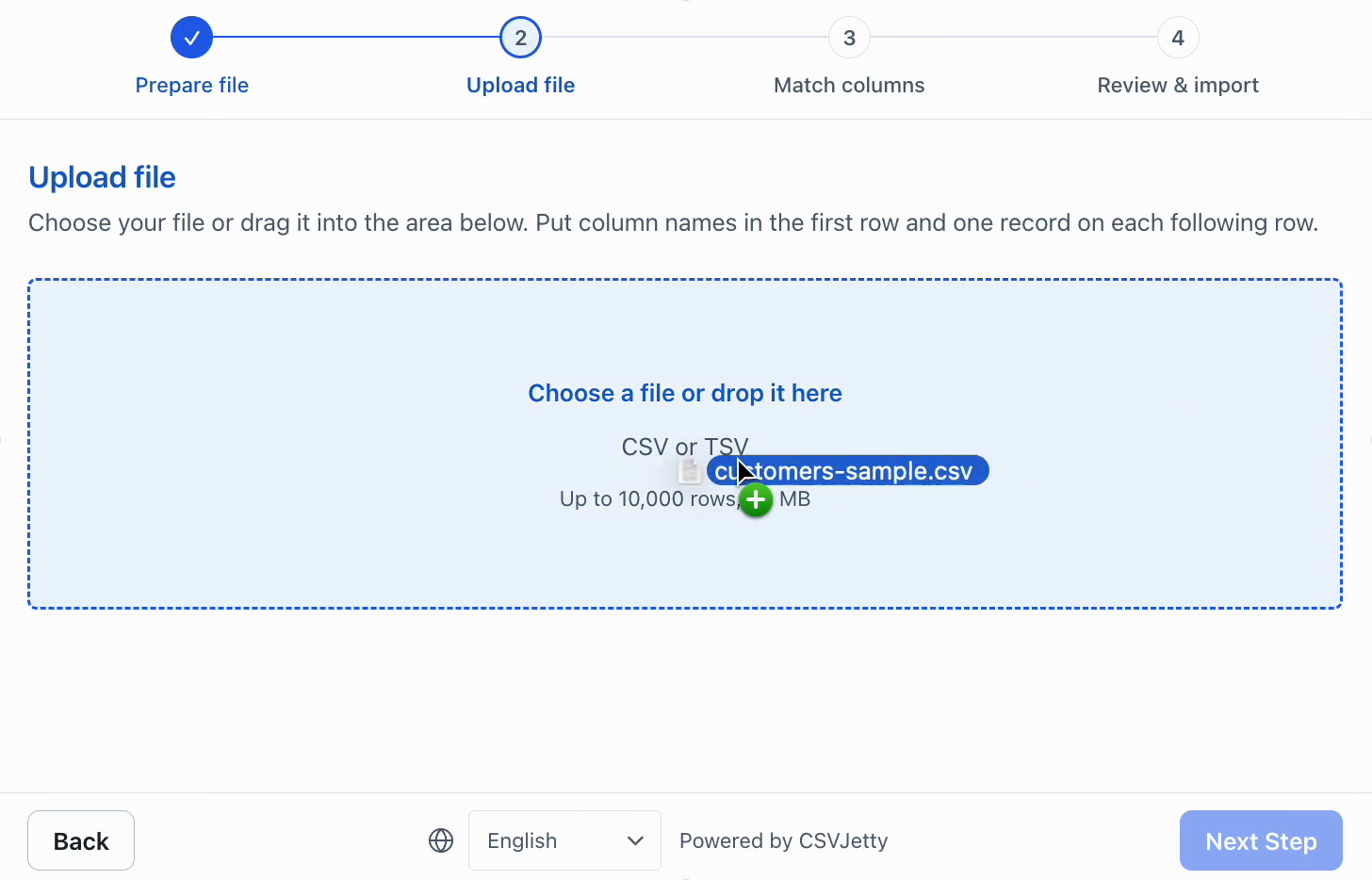
Upload a CSV with headers. The demo image contains older CSV/TSV wording; the current documented implementation supports CSV only.
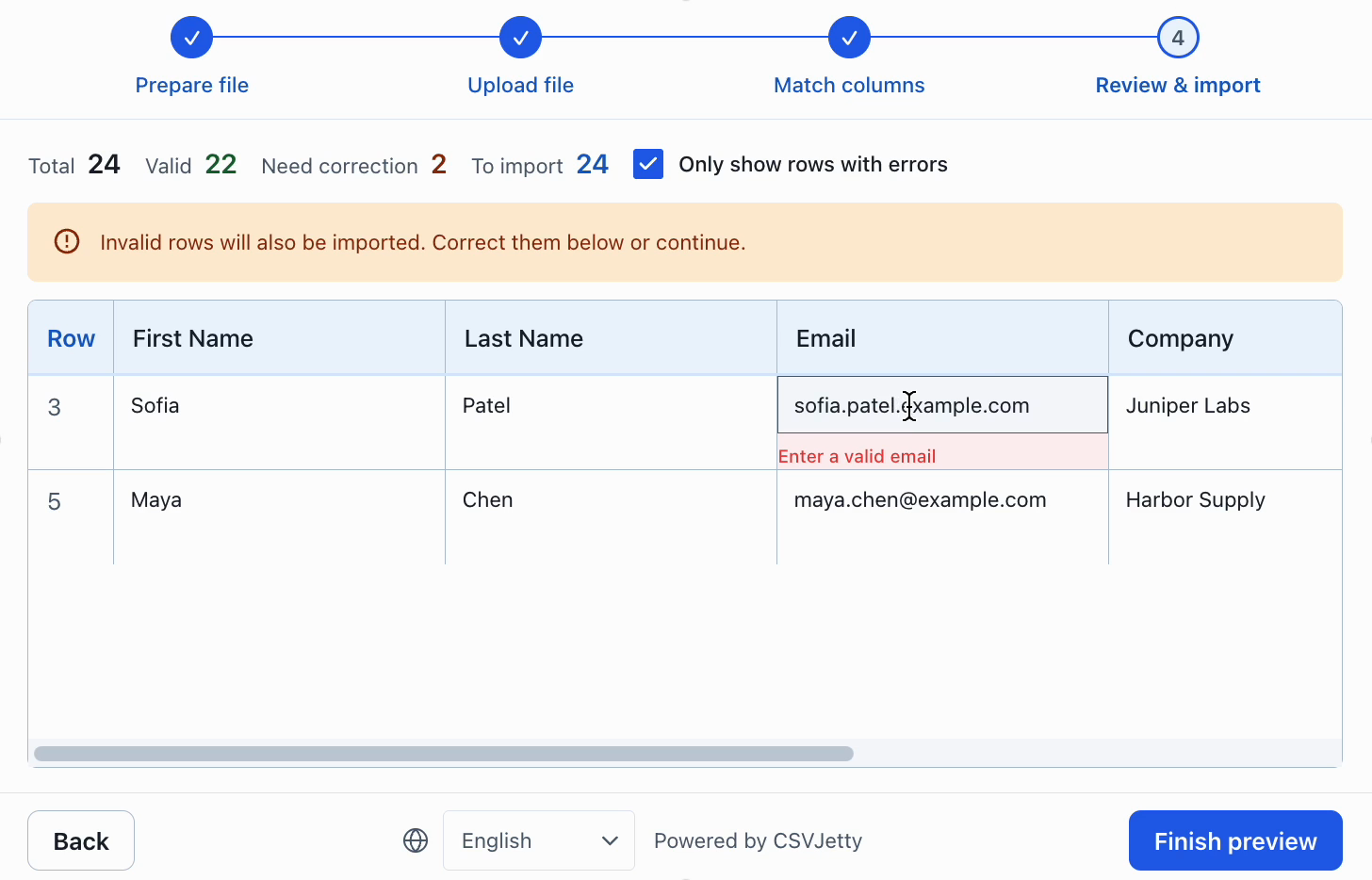
Correct invalid values in the review table. The demo permits invalid rows; enable Require valid rows for the examples in this guide.
In an empty test account, the clean file should insert three contacts. Uploading it again in skip mode should insert zero. In the duplicate sample, lowercased Ada addresses conflict; after fixing the invalid email to a new valid address, the file has three unique contact emails. With a second signed-in account, repeat the file and confirm its records are separate.
Attempt a direct request that supplies another user’s owner_id; RLS must reject it. Cause a database permission failure and confirm onData throws. Restore permissions and retry. Inspect the table filtered by owner_id and email, not just the importer’s accepted count.
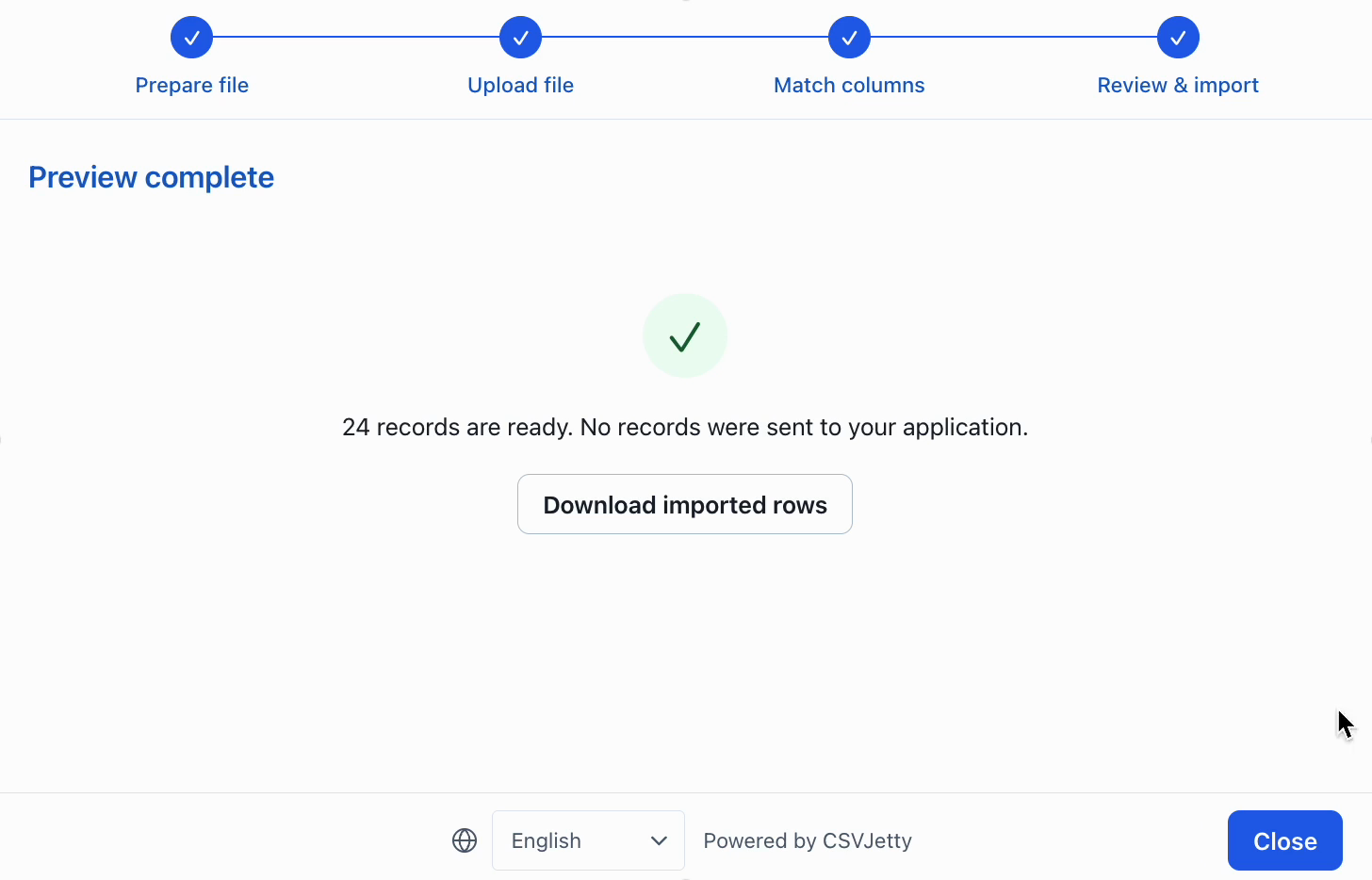
Dashboard preview only: 24 records are prepared, but none were sent to an application. Verify database persistence separately from this screen.
## Related implementation guides
[Next.js authenticated API alternative](https://www.csvjetty.com/guides/import-csv-supabase)
[Mapping aliases and dynamic fields](https://www.csvjetty.com/guides/csv-column-mapping)
[Callback payload and original row numbers](https://www.csvjetty.com/docs/reference/import-payload)
[Duplicates and idempotency](https://www.csvjetty.com/guides/csv-import-duplicates)
## Resources
[Supabase RLS](https://supabase.com/docs/guides/database/postgres/row-level-security)
[Supabase upsert](https://supabase.com/docs/reference/javascript/upsert)
[Supabase getUser](https://supabase.com/docs/reference/javascript/auth-getuser)