Concepts
Column mapping
Learn how CSVJetty matches uploaded CSV headers to your configured fields, how aliases work, and what happens to unmatched columns.
Column mapping connects the headers in a customer's CSV file to the fields your application expects. CSVJetty suggests matches first, then lets the user review the mapping before import.
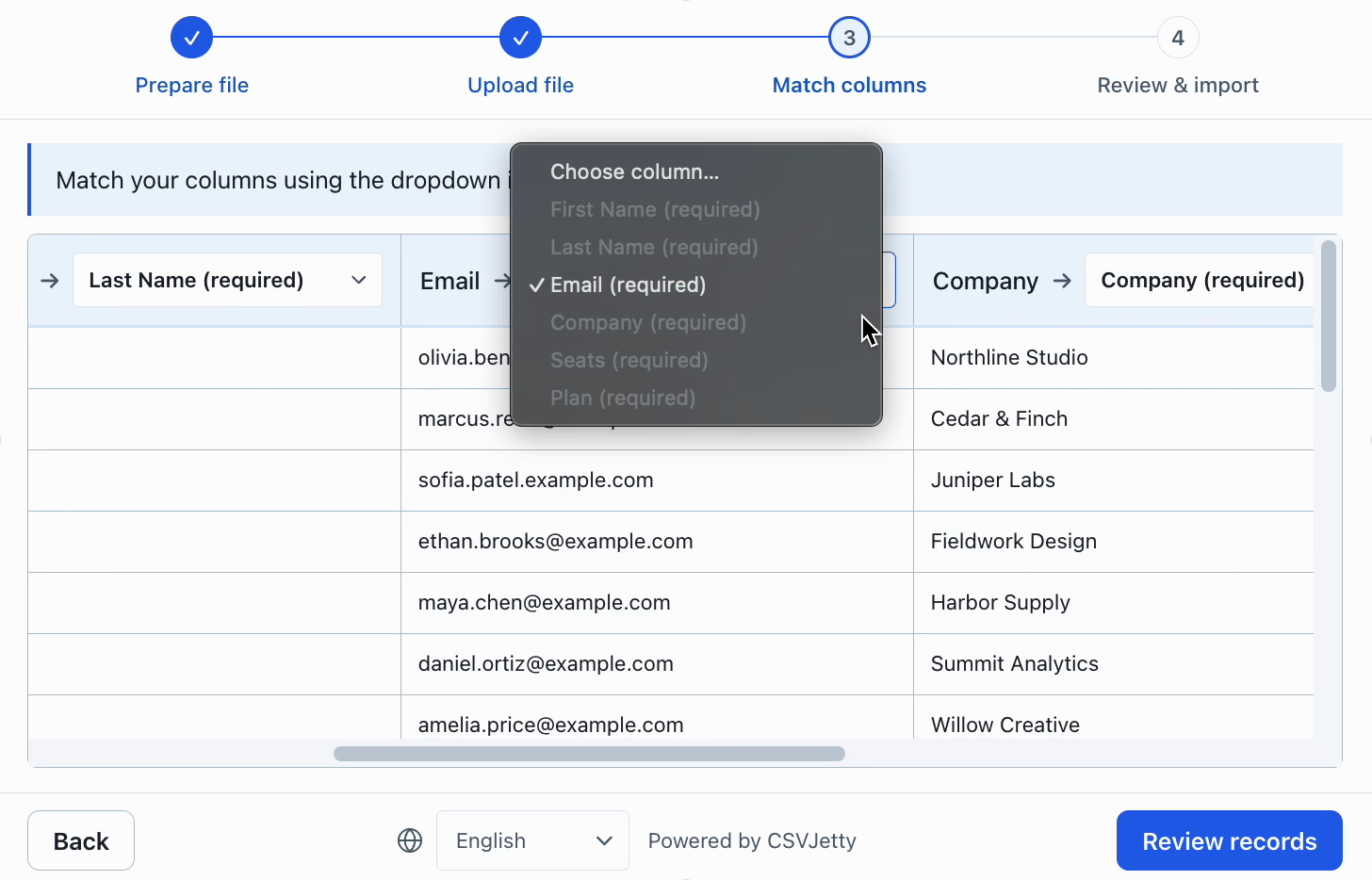
Source and destination columns
A source column comes from the uploaded file, such as Customer Email. A destination column is a field you configured on the importer, such as email.
TEXT
Uploaded CSV CSVJetty field--------------------------- ----------------Customer Email emailFull Name nameSignup Date created_atDelivered records use your configured destination names, not the customer's original header names.
Automatic matching
CSVJetty compares each uploaded header with the destination field's name, display label, and aliases. Matching ignores capitalization and punctuation.
TEXT
email → emailEmail → emailE-mail → emailEMAIL → emailEach uploaded source column can be assigned only once. If CSVJetty cannot find a match, it leaves the field unmapped for the user to review.
Aliases
Aliases teach CSVJetty common alternate names for a field. They are useful when customers export data from systems that use predictable but different header names.
JS
{ name: "email", label: "Email address", type: "email", aliases: ["customer_email", "contact_email", "email_address"],}Configure aliases with the rest of your column definition. See Configure columns.
Manual mapping
Suggested mappings are not final. The user can change the source column assigned to a destination field during the matching step.
- Required destination fields must be matched before review can continue.
- Optional fields may be left unmatched.
- Users can correct a bad suggestion before any records are delivered.
Unmatched columns
By default, source columns that are not mapped to one of your configured destination fields are not included in delivered records.
Enable Include unmatched columns when you need to preserve those extra values. CSVJetty then adds them under an _unmatched object on each row.
JS
{ email: "ada@example.com", _unmatched: { "Account owner": "Grace", "Legacy ID": "1234" }}Prefer explicit fields for data you depend on