CSV parser or CSV import component: which do you need?
Compare parsing a CSV with a complete customer-facing import workflow. Understand when a parser is enough and when mapping, correction, and delivery are needed.
View as MarkdownStart with the user interaction
Use a CSV parser when a program needs records from a predictable file. Use an import component when customers bring files with different headers and need to review, map, and correct them. CSVJetty addresses the second case; it is not a replacement for every parser use case.
| Task | Parser alone | CSVJetty workflow |
|---|---|---|
| Read CSV records | Core responsibility | Included in hosted workflow |
| Map unknown headers | Build matching and selection UI | Automatic matching, aliases and manual selection |
| Show invalid values | Build the review and error UI | Validation and inline correction |
| Deliver records | Write application logic | Callback or signed webhook |
| Persist securely | Your backend | Still your backend |
| Fully offline parsing | Possible with a local parser | Not a supported hosted-service guarantee |
Headers are a schema decision
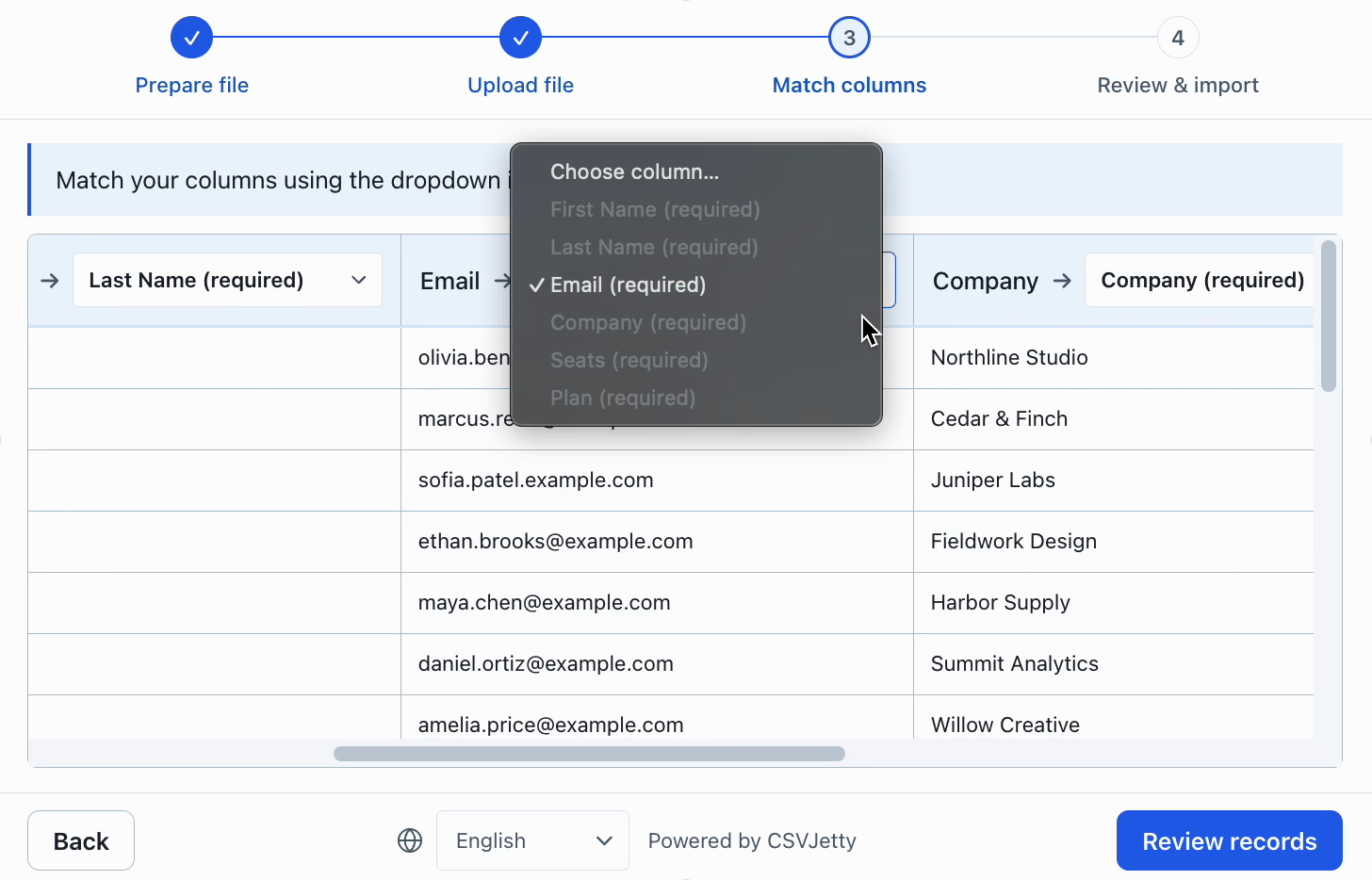
A source field called Work Email may need to become email. The application must define the destination field and the customer must be able to review ambiguous matches. CSVJetty combines those decisions with a source-data preview.
Valid CSV can contain invalid application data
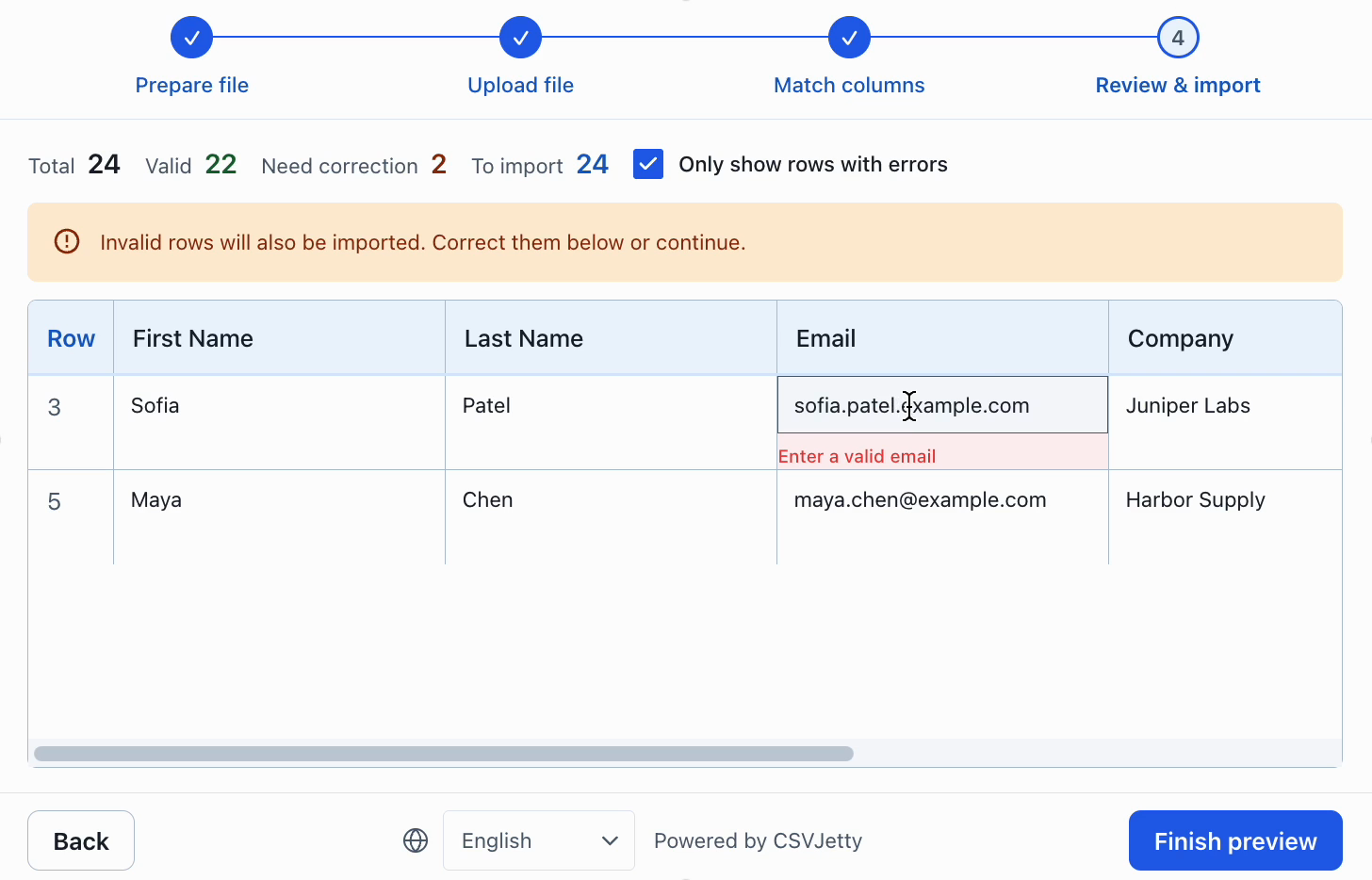
A syntactically valid row can contain an invalid email, a missing required name, or a duplicate contact. Browser field checks help customers fix values. Your server must enforce permissions and business constraints regardless of the interface.
Pick the smallest tool that covers your requirement
Keep a parser for scripts, known internal formats, and conversion jobs without an interactive review step. Evaluate CSVJetty for customer-facing React imports when mapping, validation and correction are required. Check its file limits, hosted dependency and delivery data path before integrating.
Where parsing ends and application importing begins
A parser answers: what records are represented by these bytes? It handles quoted fields, embedded delimiters, headers and line endings. It cannot decide whether Company Email should map to email, whether an empty account number is permitted, or whether the signed-in user can replace an existing customer record. Those decisions belong to your schema, import UI and application backend.
| Task | Parser | Import workflow / application |
|---|---|---|
| Read a quoted comma in a field | Parse it correctly | Display the resulting value. |
| Map Work Email to email | Return the original header | Suggest a match and let the customer change it. |
| Correct an invalid email | Return the string | Explain the error and let the customer edit it. |
| Stop duplicate customer records | No business identity knowledge | Enforce an account-scoped unique key in the database. |
| Retry after a network failure | No delivery state | Design idempotent writes and report acknowledged outcomes. |
Three common implementation choices
Use a parser directly for scheduled jobs, developer-only scripts, and a fixed template with predictable headers. Add an interactive import layer when customers supply unfamiliar files and need mapping or correction. Build a custom workflow when product-specific review steps justify owning the interface and its maintenance.
CSVJetty supplies the interactive CSV interface, with a React wrapper and callback or webhook delivery. It does not replace database validation or your authorization model. If your only requirement is to read a CSV string into objects, an importer is more infrastructure than the job needs.
Compare CSVJetty with building the import interface yourself →
Build your importer
Configure the fields your app expects, then connect CSVJetty to your application.
Create an importer →