CSVJetty vs. OneSchema: integration, limits and pricing
Compare CSVJetty and OneSchema for embedded CSV imports: deployment, validation, delivery, file support, limits and published pricing.
View as MarkdownWhich importer fits your application?
CSVJetty fits an embedded React CSV upload and correction flow with application-owned saving. OneSchema offers a broader spreadsheet-import product with validation tooling, larger plan limits and multiple delivery mechanisms. Begin with file formats, governance requirements and delivery architecture, then compare the relevant commercial plans.
Choose OneSchema for requirements that exceed CSVJetty’s format, size or deployment scope, subject to the actual plan and contract. Evaluate CSVJetty for a smaller CSV workflow where its published limits and delivery modes are sufficient. Do not treat a frontend success callback as proof that a vendor never processes row data: verify the service’s data path separately.
Compare the documented capabilities
| Requirement | CSVJetty | OneSchema |
|---|---|---|
| Files | CSV only | CSV and XLSX; one Excel sheet at a time |
| Row limits | Free: 10,000; paid: 20,000 per upload | Importer plans publish substantially higher row tiers |
| Validation | Ten field types, required checks and synchronous custom validators | 50+ validation types and custom code validations listed |
| Delivery | Browser callback or signed webhook | Frontend passthrough, webhooks, API and signed-URL file delivery |
| Published pricing | Free; paid $9/month with 500 imports | Contact OneSchema for Importer pricing; Studio prices are a separate offering |
| Deployment | Hosted importer; MIT wrapper is not a self-hosted stack | Enterprise plans list self-hosting options |
| Best fit to investigate | An existing React app needing a bounded CSV workflow | Broader spreadsheet onboarding or enterprise requirements |
Source: OneSchema Importer and Studio pricing →
What a CSVJetty integration requires
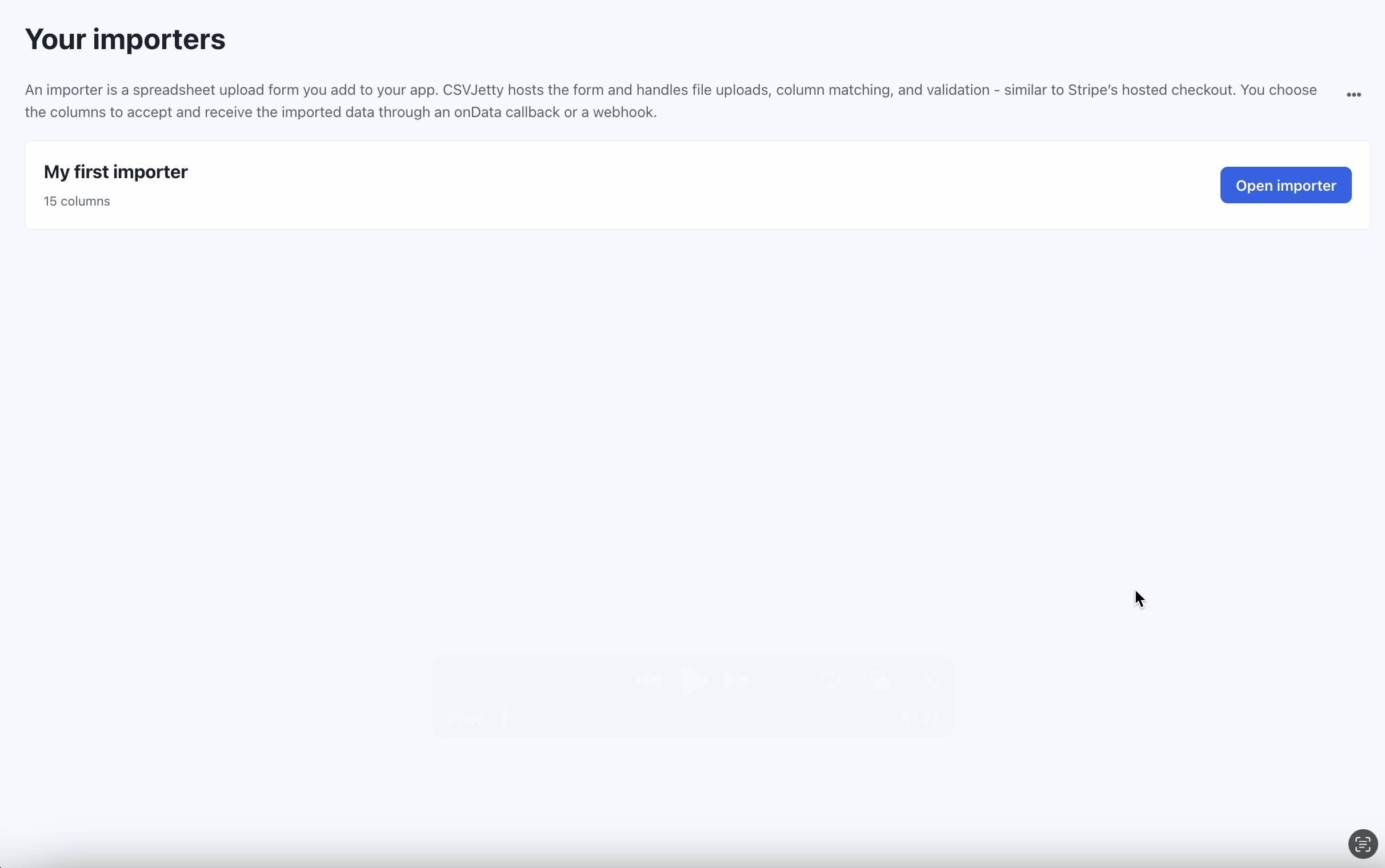
Create an importer in the CSVJetty dashboard, choose OnData Callback, and copy its public importer key. Enable Require valid rows so customers must fix browser validation errors before delivery. Development Mode still calls your save handler; use test data and a test database. Dashboard preview does not deliver rows.
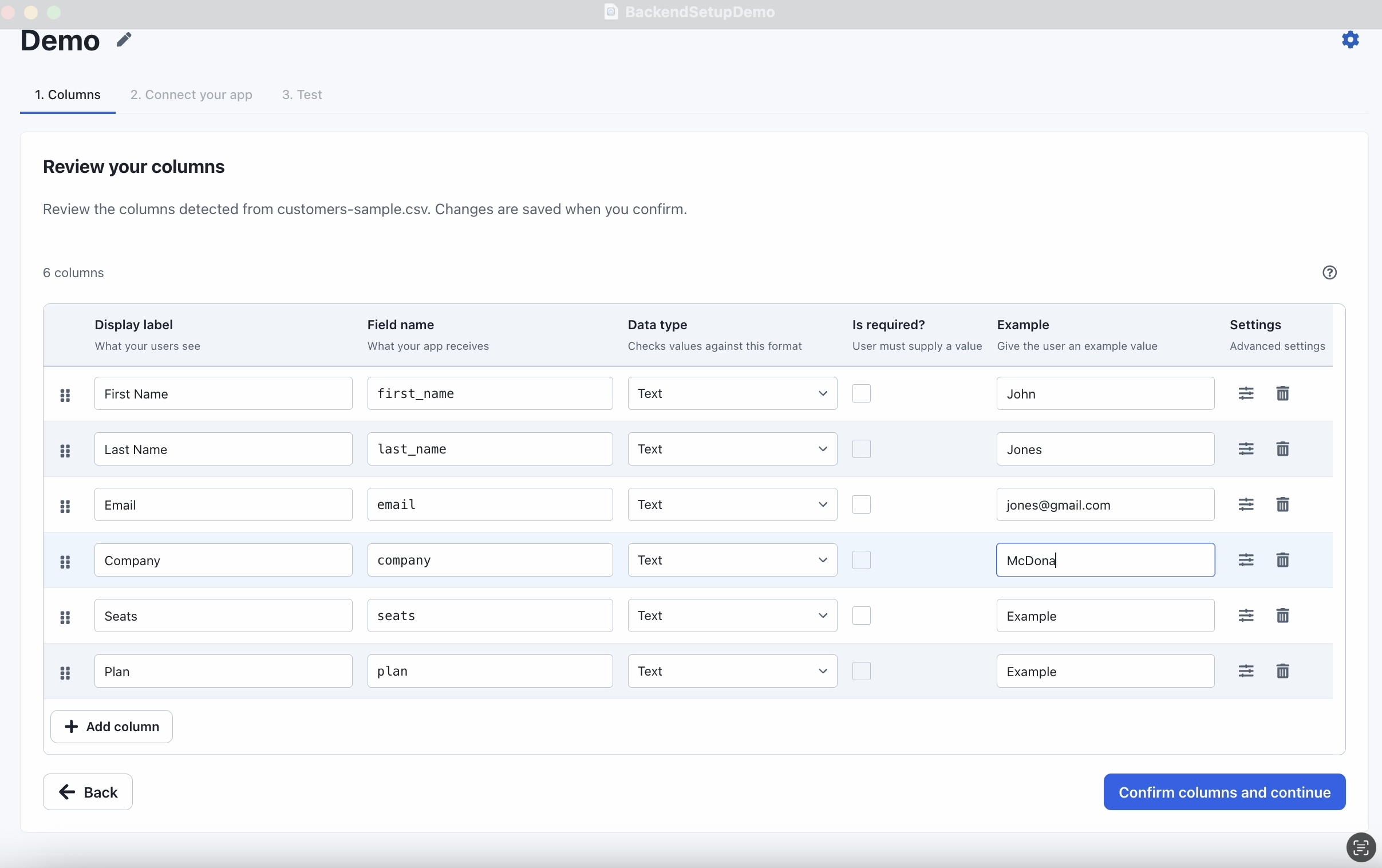
CSVJetty supports React 18/19 and CSV files up to 20 MB. The free plan permits 10,000 rows per upload; paid permits 20,000. Configure at most 30 destination fields. Callback mode keeps row data out of CSVJetty servers while configuration and import metadata still use the hosted service. It is not a fully offline or self-hosted importer.
Compare the difficult part of the workflow
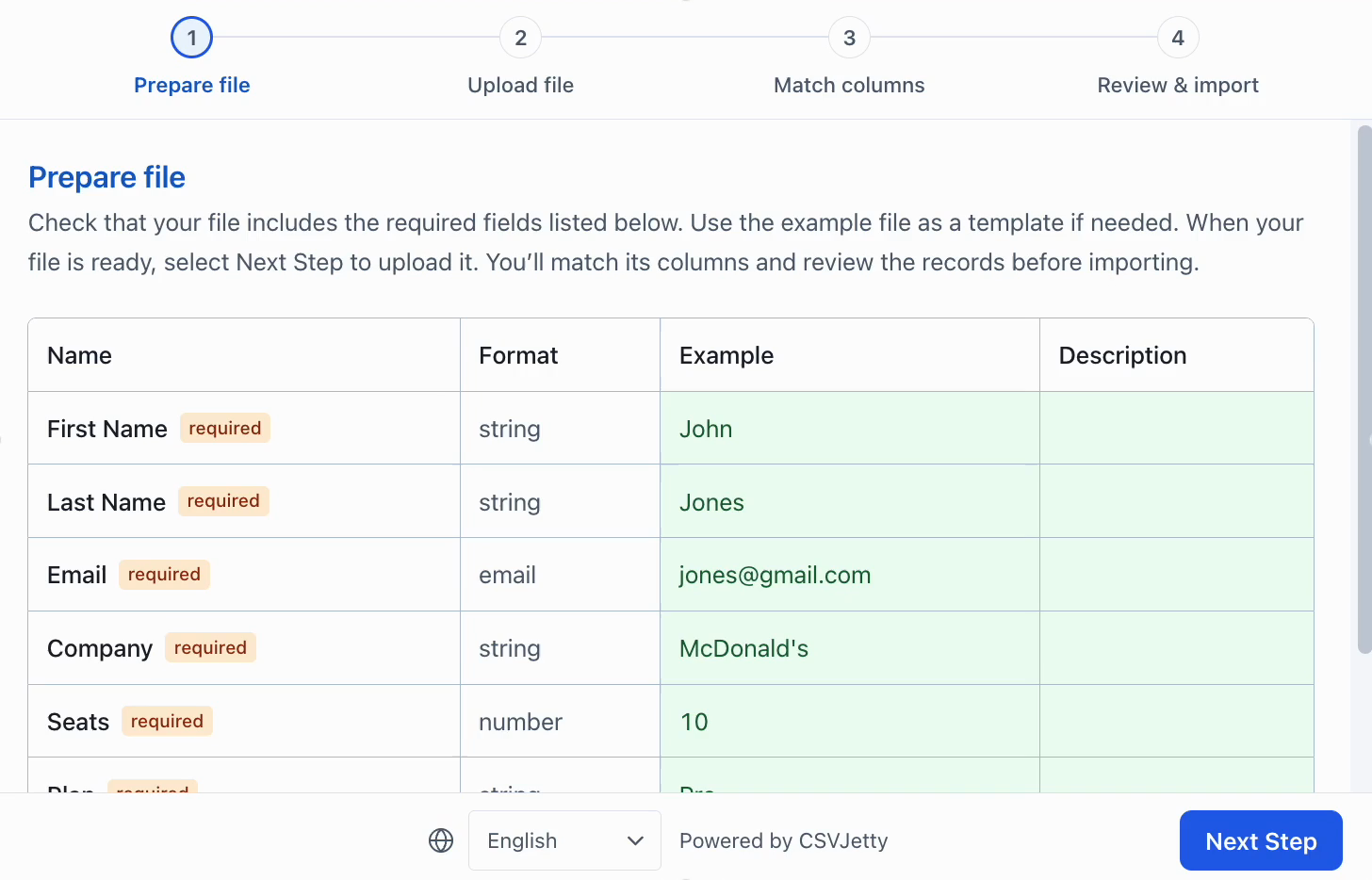
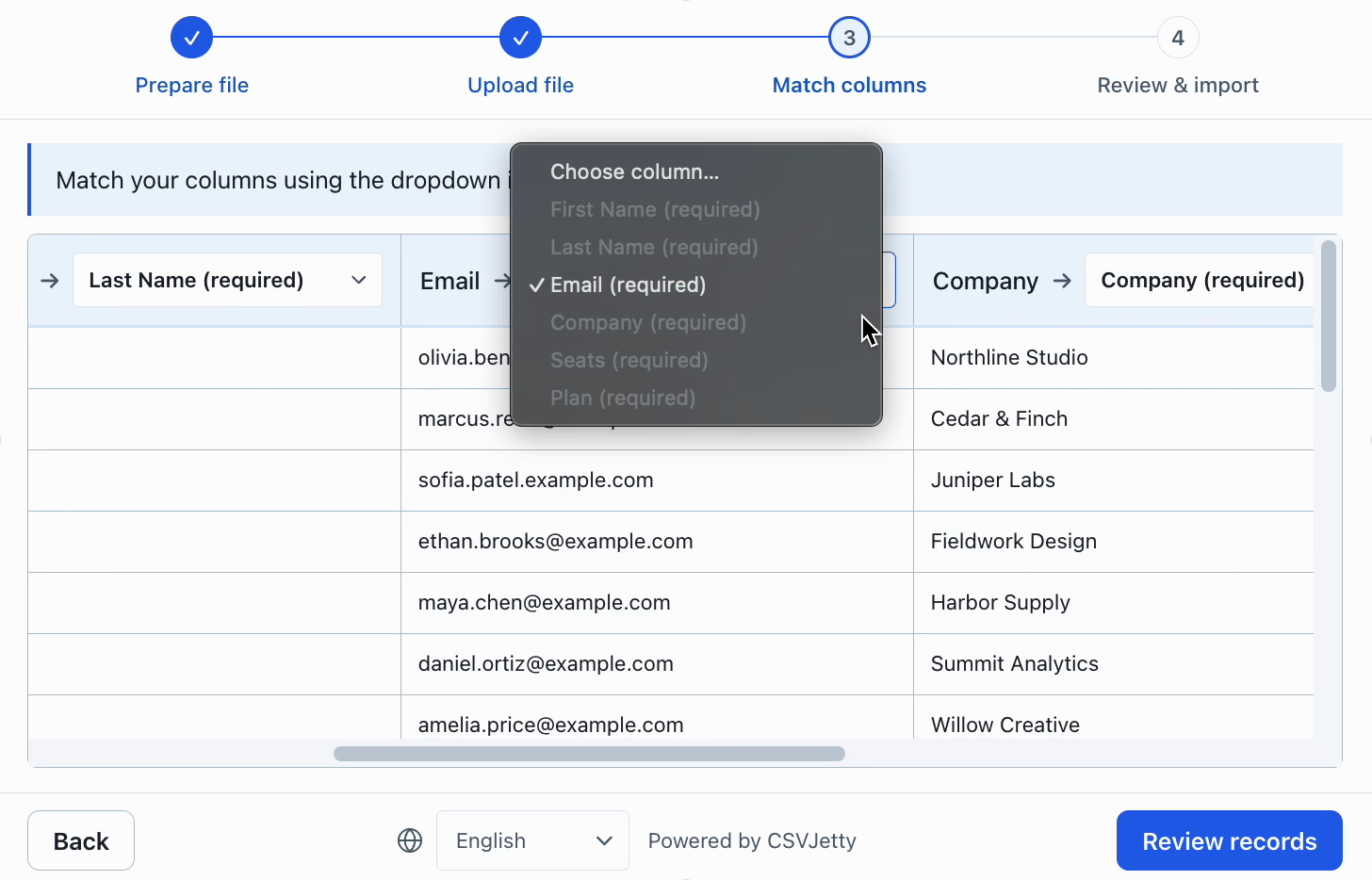
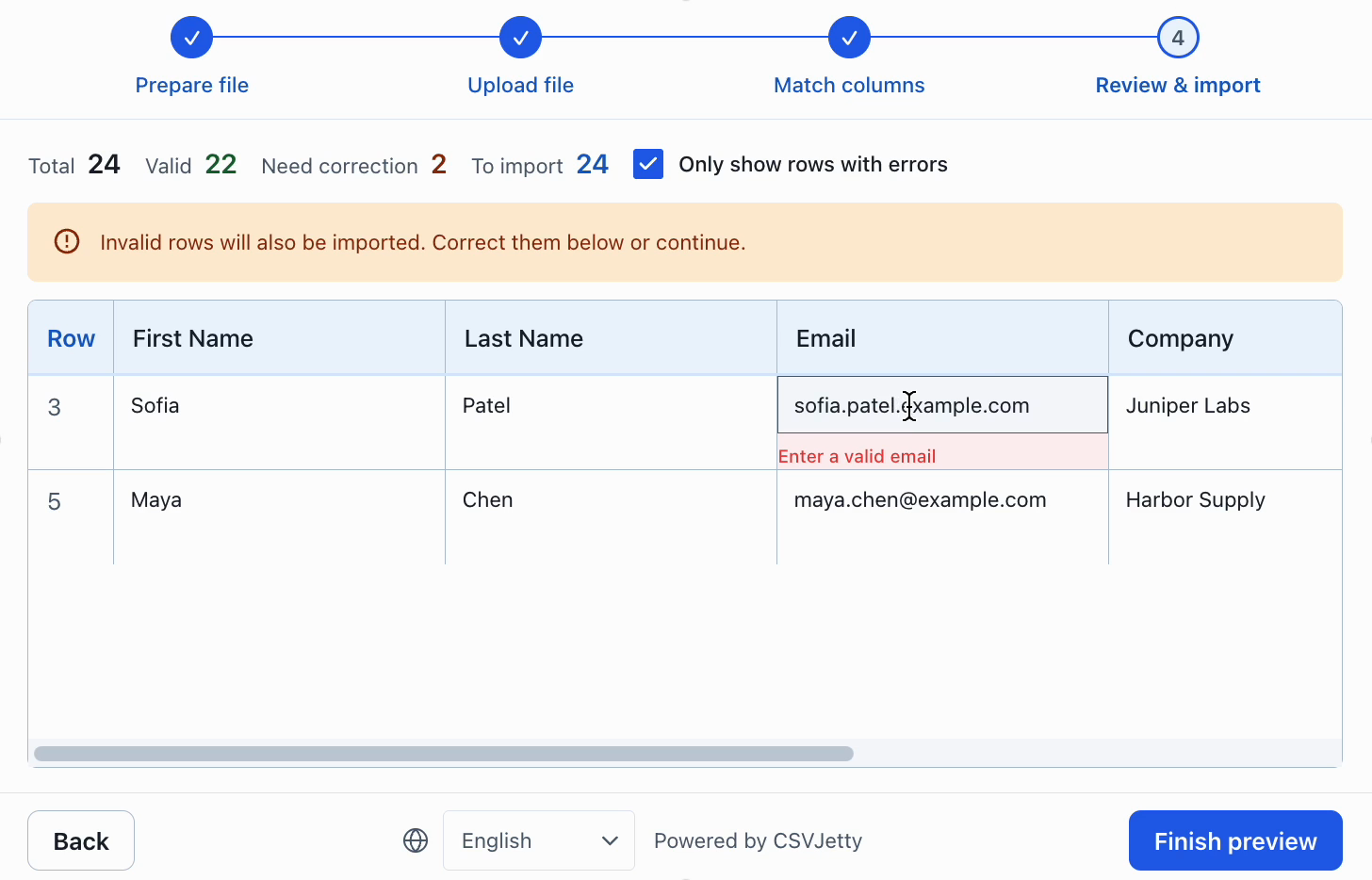
Use the same realistic file for both products. Include an ambiguous heading, a missing required value, an invalid email and a duplicate business key. Confirm that the correction workflow enforces the desired policy and that backend failures do not become false success messages.
For CSVJetty, configure Require valid rows to block unresolved browser validation errors. A custom validator must be synchronous. Duplicate database records, authorization checks and persistence remain application responsibilities. No browser importer can replace database constraints.
Plan the migration at the save boundary
Inventory your current schema, mapping rules, transformations, validation hooks, event handlers and retry policy. Recreate the destination fields with CSVJetty columns and adapt the callback to receive { rows, rowNumbers, importId }. The APIs are not drop-in interchangeable; preserve behavior with a test file before replacing production imports.
The wrapper’s callback rows stay out of CSVJetty servers, but the hosted service still handles configuration and metadata. Webhook delivery routes rows through CSVJetty. If a requirement is fully offline operation or self-hosting the entire importer, the hosted CSVJetty architecture does not meet it.
Customer-owned Supabase contacts →
Check saving separately from dashboard preview
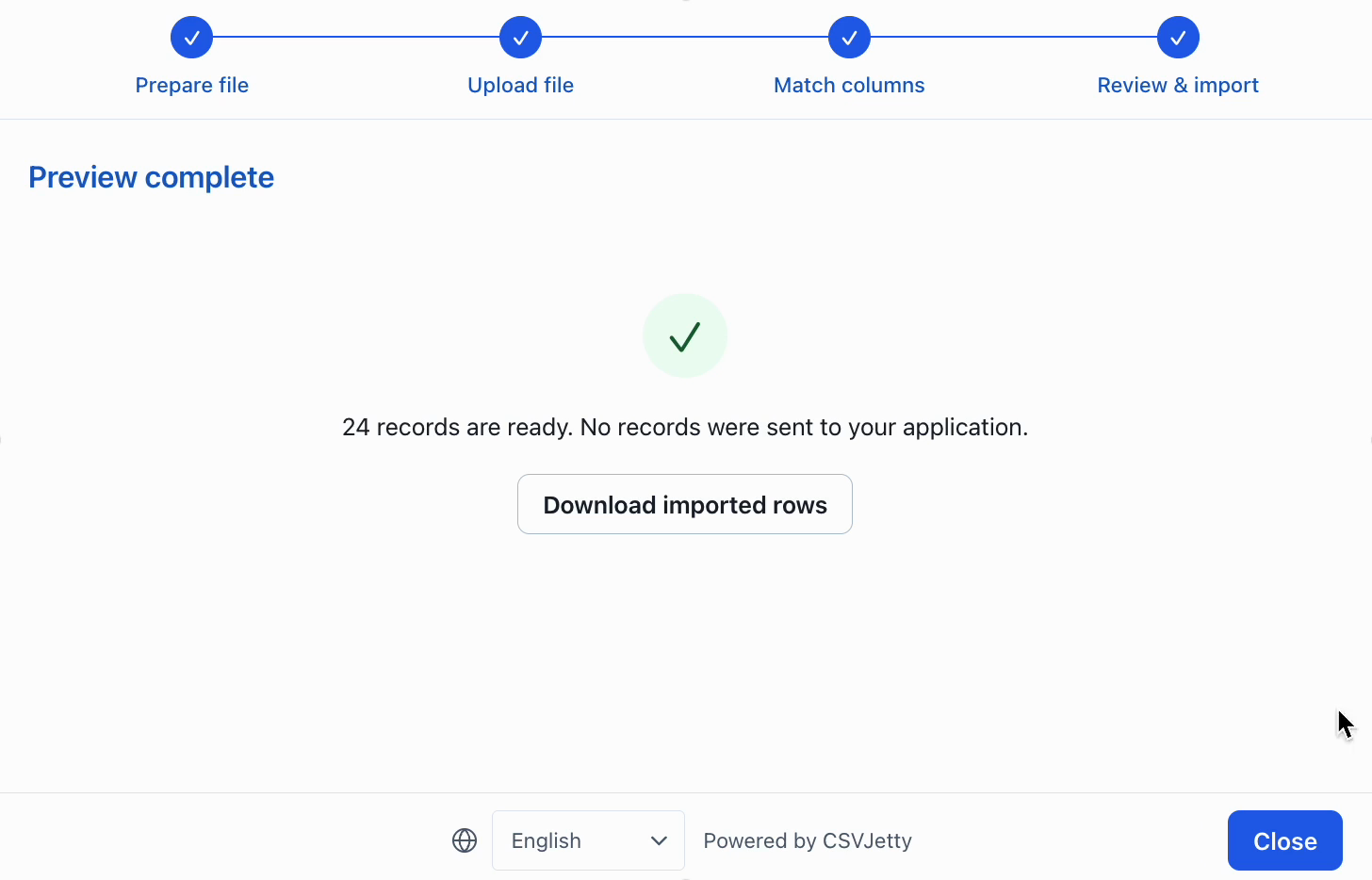
A successful dashboard preview proves only that records can be prepared with the configured schema. Embed the component in your app, use a test database, interrupt one save and retry it. Check actual persisted rows, rejected record numbers and duplicate behavior before deciding that a migration is complete.
Make the decision against your own import requirements
For a team evaluating a focused React CSV importer against a larger import solution, begin with a representative customer file rather than a feature count. Compare file formats, dataset size, implementation assistance and product-specific importer pricing. Use the same valid file, malformed values, renamed headers and duplicate identifiers in each evaluation.
Choose CSVJetty when its hosted React workflow, CSV-only format, current file and row limits, and application-owned persistence fit the job. If a required capability falls outside those boundaries, verify the alternative directly. A cheaper monthly plan does not compensate for a missing required format or an incompatible delivery architecture.
Before migrating, record the current destination field names, aliases, validation rules, invalid-row policy and save-handler contract. Recreate the schema, test row-level errors, and verify both retry behavior and repeat-file duplicate handling. Run the replacement against a test database before switching customers.
Build your importer
Configure the fields your app expects, then connect CSVJetty to your application.
Create an importer →